
CapCut Desktop (The Best Free Alternative to Adobe Premiere Pro)
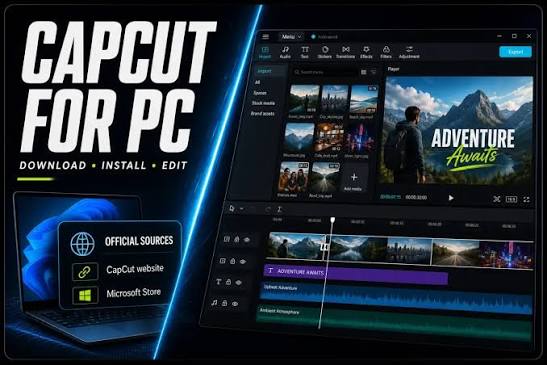
Bridge the gap between mobile speed and desktop power with CapCut Desktop, an intuitive non-linear editor tailored for rapid content creation. Built on a responsive performance engine, CapCut Desktop simplifies timeline editing, color adjustments, and motion graphics—allowing creators to produce polished YouTube videos, social media ads, and short clips in a fraction of the time required by legacy video suites.
Key Features:
-
Multi-Track Timeline Editing: Layer multiple video streams, audio tracks, picture-in-picture overlays, and text titles on an intuitive magnetic canvas.
-
One-Click AI Captions & Text-to-Speech: Automatically generate and style synchronized multi-language subtitles and convert text to speech in seconds.
-
Smart Cutout & Chroma Key: Isolate subjects, eliminate backgrounds, and apply clean green-screen compositing without manual masking.
-
Speed Ramping & Motion Tracking: Shape dynamic velocity curves and anchor stickers, text, or effects to moving subjects smoothly.
-
High-Resolution Exports: Render projects crisp at up to 4K 60fps with optimized social presets and light file compression.
Pros:
-
Extremely Low Learning Curve: Pick up essential video editing skills in minutes with clear drag-and-drop mechanics.
-
Built-In Preset Library: Includes thousands of pre-made transitions, sound effects, text templates, and animated title packs.
-
Fast Timeline Rendering: Lightweight system footprint handles 1080p and 4K playback smoothly on standard hardware.
-
Native Vertical & Horizontal Presets: Easily swap between 16:9, 9:16, 1:1, and custom aspect ratios with smart auto-reframing.
Cons:
-
Limited Advanced Color Grading: Lacks deep scopes, secondary color wheels, and professional color spaces compared to Premiere Pro or DaVinci Resolve.
-
Pro Tool Locking: Certain advanced AI features, premium transitions, and specific export settings require an upgraded Pro tier.
-
Basic Multi-Channel Audio Mixing: Lacks granular multitrack audio routing, advanced parametric EQing, and native VST plugin support.
-
Not Built for Heavy Film Pipelines: Project archiving, proxy management, and multi-cam workflows are restricted compared to enterprise editors.